Blog · Data Privacy Remote Team
Can You Trust Remote Staff with Confidential Data? Yes, and Here's How
Remote staff and data security: learn the access controls, tools, and protocols that let CEOs delegate confidently without exposing client data or business systems.

Khairum Maksuda Hoque
Published: 2 April 2026 · 8 min read
Every business that scales with remote staff eventually faces the same moment: a client asks "who has access to our data?" The honest answer should not make you pause.
Companies that get this right do not rely on loyalty. They rely on access controls, audit trails, and clearly defined data handling protocols. That is what separates the leaders who scale confidently with remote staff from the ones who stall out at the first uncomfortable "what if."
TLDR
The leadership take: data security with remote staff is not a question of character. It is an infrastructure question.
The risk is not remote work - the risk is undefined access, shared passwords, and zero audit trail.
Role-based access, password management tools, and a written data handling policy close to most of the exposure in under a week.
The same controls that protect you with remote staff will protect you from internal breaches too.
Action: map what data each role actually needs, then build access around that, not around convenience.
The real problem is not remote work; it is undefined access
Most data incidents do not happen because someone is malicious. They happen because access was never scoped.
When a team member has full admin access to your CRM because it was easier to set up that way, and they only needed read access to run reports, that is not a trust failure.
That is a setup failure. The geography of the person sitting behind that access does not change the exposure.
Remote work made this more visible. It did not create the problem.
Leadership takeaway: treat every role as a data access profile, not just a job description.
Role-based access is the single highest-leverage control
What changes
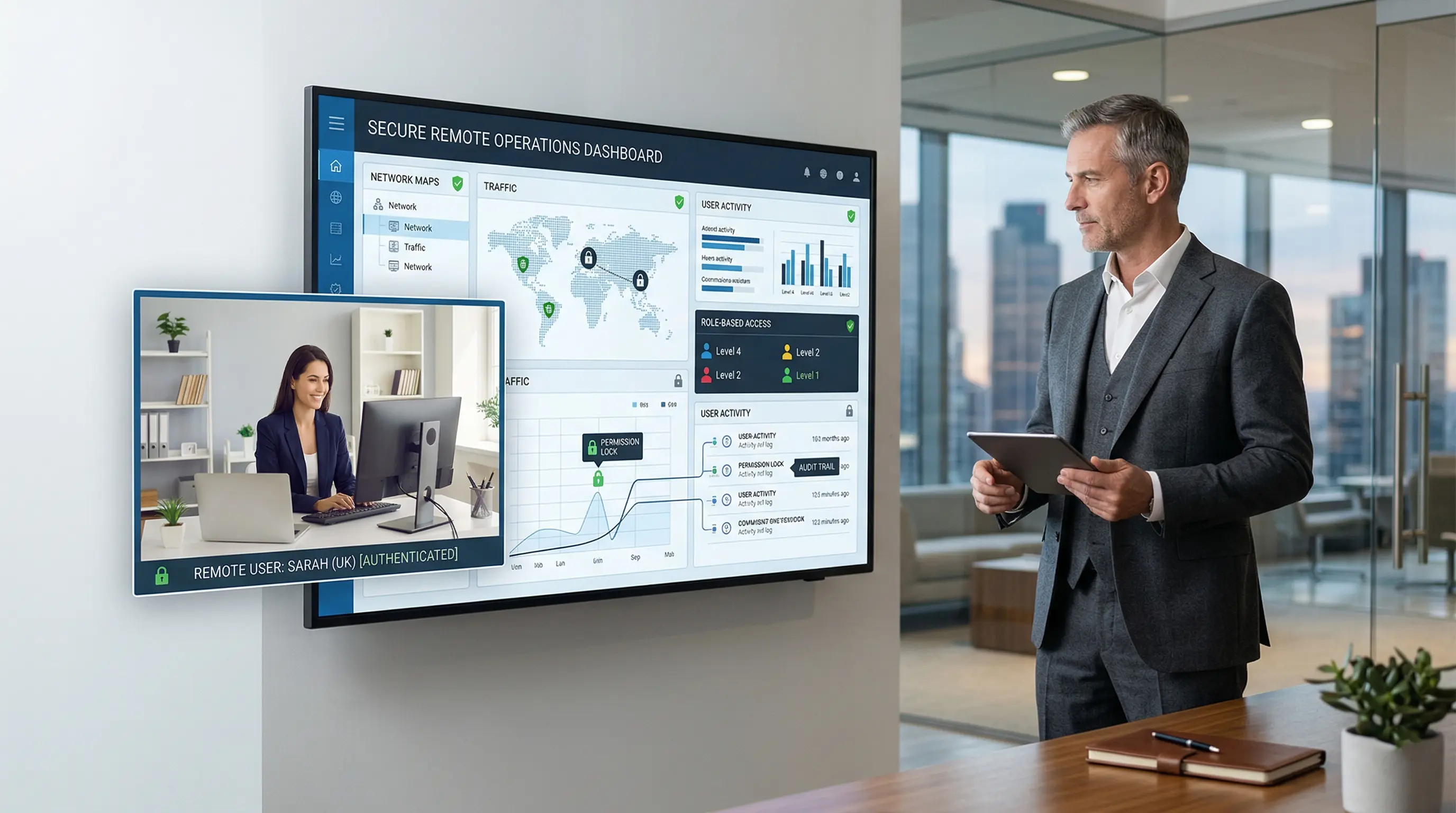
When you define access by role rather than by individual, you contain exposure structurally. A virtual executive assistant does not need access to your financial reporting suite. A data entry specialist does not need admin rights in your CRM. A customer support hire does not need access to your internal strategy documents.
According to IBM's 2024 Cost of a Data Breach Report, stolen or compromised credentials were the single most common initial attack vector, accounting for 16% of all breaches globally, and took the longest to identify and contain at nearly 10 months on average. The fix is not more technology. It is a tighter scoping of who can see what and why. Source: IBM Newsroom, July 2024.
Why it matters
Broad access creates a broad risk. If a compromised credential can reach your entire system, the breach is not contained. If access is scoped to the function, the blast radius shrinks dramatically.
Action
Before onboarding any remote staff, run this access audit for the role:
What systems does this person need to do their job
What level of access within each system: read, edit, admin
What should they never need to access
Who grants access, and who revokes it when the engagement ends
Build the access profile before you build the login. This takes less than one hour per role, and it is the highest return security action most small businesses have not done yet.
Shared passwords are not a cost saving measure, they are a liability
What changes
A significant number of small business teams still share login credentials across staff, including remote hires. It feels like a practical shortcut. It eliminates your audit trail entirely.
If you cannot answer "who accessed that record and when," you do not have data accountability. You have data ambiguity.
Password managers like 1Password, LastPass for Business, or Bitwarden allow you to share access to tools without ever sharing the actual credentials. The team members can use the tool. They cannot see or export the password.
When the engagement ends, access is revoked without a system-wide password reset.
Why it matters
If a breach occurs and you cannot trace the access event to a specific user, you cannot contain it, report it accurately, or prevent recurrence. That is both a security problem and increasingly a compliance problem, particularly in regulated industries or jurisdictions with data protection obligations.
Action
Implement a business password manager before your next remote hire starts. Set the rule: no credentials are shared directly. All tool access goes through the vault. All vault access is logged.
Cost: typically under $10 per user per month. Risk reduction: material.
A written data handling policy for baseline protection
What changes
Most small businesses have no written data handling policy for remote staff. They assume the NDA in the contract covers it. But it does not cover behavior. It covers liability after that fact.
A data handling policy tells your remote staff exactly what they are and are not allowed to do with the information they access: whether they can download files locally, how they handle client data in communication tools, what to do if they suspect a breach, and how to exit the role cleanly when the engagement ends.
Why it matters
People follow the norms they are given. If you set no norms, they default to convenience. That is not exactly malice; it is human behavior. A one-page data handling brief eliminates the ambiguity that causes most incidents.
Action
Your data handling brief for remote staff should cover five things:
What data they will access and in what systems
What they can and cannot do with that data (download, share, screenshot)
What tools are approved for communication and file transfer
What to do if something looks wrong
How access is returned, and accounts are closed at the end of the engagement
The tools that make this operational, not theoretical
You do not need enterprise-grade infrastructure to run a secure remote team. You need the right tools used with discipline.
Password management: 1Password Teams, Bitwarden for Business, LastPass
Access control: role-based permissions inside your existing tools (most CRMs, project management platforms, and cloud storage systems have this built in)
File sharing: Google Workspace or Microsoft 365 with sharing permissions set at the folder level, not the individual file level
Activity audit: most business tools have access logs. Turn them on and check them quarterly
Offboarding checklist: a written step-by-step that removes access across every system the moment an engagement ends
The offshore or cross-border element does not change any of this. The tools work the same way regardless of where the team member is located.
What due diligence looks like before you hire
Before a remote staff member touches a single system, run this checklist:
Signed NDA and data handling acknowledgment
Role-based access profile defined
Password manager access set up, no direct credential sharing
Approved communication and file transfer tools confirmed
First week includes a data handling orientation, even a 15-minute walkthrough
Offboarding checklist prepared before onboarding begins
How My Virtual Mate handles this by default
Most of the controls described in this blog require you to build and maintain them yourself. The value of working with a staffing partner is that the oversight layer is already built in.
Every My Virtual Mate staff member is monitored through a productivity tracking system that logs active hours, screen activity, and idle time in real time. This is an audit trail that gives you the answer when a client asks, "what was your team member working on last Tuesday at 2pm?" You have it. It is documented.
Beyond the tracking layer, every engagement is managed from end to end. Vetting, onboarding, performance monitoring, and offboarding are all handled on our side. Each client has a dedicated Project Manager whose job is to keep the engagement running cleanly, flag anything that looks off, and ensure nothing falls through the gap between "we hired someone" and "they are consistently delivering."
The result is a model where the accountability infrastructure is not something you need to build from scratch. It is already running before your staff member starts day one.
If you want to understand what that looks like in practice, Learn more about our virtual staffing options and View Flexible Pricing.
FAQs
Is it safe to give remote staff access to my CRM or client records? Yes, when access is scoped to what the role requires and logged. The risk comes from undefined access, not from the location of the person using it.
What should I do when a remote staff engagement ends? Revoke all system access on the final day. Run your offboarding checklist across every tool. If you used a password manager, remove vault access. This should take under 30 minutes if the checklist is prepared in advance.
Do I need a legal agreement specifically for data with remote staff? A clear NDA and a written data handling policy are the baseline. For regulated industries or jurisdictions with specific data protection laws, get a qualified review. For most small business roles, a clear written policy with a signed acknowledgment is the practical starting point.
Does it matter if the remote staff member is in another country? The access controls and protocols work the same regardless of geography. For highly regulated data (health, finance, legal), review the specific compliance obligations in your jurisdiction, but the operational controls described here apply universally.